

Online Marketing Glossary: Feeds
Feeds:
- A Web document that is a shortened or updated version of a webpage created for syndication. Usually served at user request, through subscription; also includes ad feeds to shopping engines and paid-inclusion ad models. Ad feeds are usually in eXtensible markup language (XML) or rich site summary format.
 There are great tools out there for affiliates to utilize data feeds put out by merchants to create their own customized online shops. Pop Shops and GoldenCAn are the two big ones.
____
Glossary Definition From ABC’s of Online Marketing by Alexandra Wharton, Issue 22, Revenue Magazine
Online Marketing Glossary: Really Simple Syndication (RSS) Feed
Really Simple Syndication (RSS) Feeds:
- A data format for syndicating news and other content. Subscribers to RSS feeds are notified every time content is updated on a particular site.
RSS feeds are a MUST for bloggers because it saves your readers from necessarily having to come to you all the time. Bringing the blog to their inbox or feed reader will make it easier for them to consume your content.
____
Glossary Definition From ABC’s of Online Marketing by Alexandra Wharton, Issue 22, Revenue Magazine
A Happy Blog Birthday to Me!
 In my hustle and bustle lately, I neglected to realize that I’ve been blogging “semi-pro” as I refer to it for a full year. I went back to see some of my earlier posts from last August and was reminded of this one – Hats, Hats, Everywhere! Could it be that it was just a year ago that I was still managing PsPrint’s mailing services? It’s also sad to say that I was “in charge of” social media marketing – a project that never took off on the company level, but I’ve obviously been running strong with it.
It feels like it’s been much longer than just a year that I’ve been at this, but I have to say that I’ve learned so much in a year that it’s incredible. In many ways this blog as served as a gateway to that knowledge and opportunities that I’ve been given. I’ll never be able to thank this little blog enough lol.
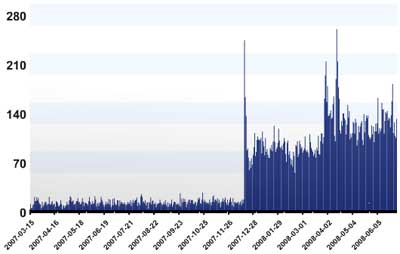
I wish I’d discovered Google Analytics sooner so I don’t have complete data, but thank you to the 16,000+ visitors this year that stopped by. Thanks for spending those few minutes to check out what I’ve been spewing out there into the webverse. I hope you’ve come by more than once. Told your friends. Subscribed despite my trials and tribulations in getting a freakin’ feed to work properly. And come by despite going through three URL changes…
Stay Classy, Interwebs.
Read More
Online Marketing Glossary: Trusted Feed
Trusted Feed (also Paid Inclusion):
- A trusted feed is a fee-based custom crawl service offered by some search engines. These results appear in the “organic search results” of the engine. Typically, the fee is based on a “cost per click”, depending on the category of site content.
Trusted feeds are well suited for web sites with hundreds of pages. Many SEO firms offer trusted feed services.
____
Glossary Definition From ABC’s of Online Marketing by Alexandra Wharton, Issue 22, Revenue Magazine
Free Toolsday for July 1st
WordPress boasts an impressive 3,464,799 blogs using their self-publishing service. Anyone who uses WordPress.org to power their blog like I do know that one of the best features is the ability to import countless plug ins to add different functions to your blog. One of the greatest ones I’ve found is Twitter Tools.
Twitter Tools integrates with Twitter by allowing you to archive your tweets, create blog posts from tweets or tweets from blog posts, as well as creating a daily digest post of tweets and posting tweets from the WP admin section. I have found this much more reliable than other automated tweeting services like twitterfeed. This is probably why over 25,000 people have downloaded this great plug in.
The plug in, like most, is really easy to install and only requires that you enter your Twitter login information. Whenever you post to your blog, a new tweet is posted through your Twitter account with the title and a link. This alerts your Twitter followers to your latest blog posts. Some people like this better than a feed reader because they can pick and choose which blogs to read based on the headlines.
The only thing I don’t like about this plug in is that a new tweet is sent even when you just edit an existing post. So if I know I’ll be going through old posts to update them (links, new info, whatever) I’ll disable the plug in temporarily and turn it back on. You can also edit the .php file of the plug in to prefix your title with whatever you want. As a default it’s New Blog Post: but you can make it say the title of your blog, New, whatever you like. This is helpful especially if you run more than one blog and run the automated tweets to the same Twitter account.
I highly recommend trying this out if you’re on Twitter (if not, get on it!). Also, share your experiences with Twitter Tools if you’re already an avid user!
Read MoreChanges A-Foot
Frequent visitors here to TrishaLyn.com will notice that the design has changed, among other things. I haven’t updated in awhile because I’m trying to fix the issues first. This is all in an attempt to NOT corrupt my source feed.
As with all budding bloggers, I’ve screwed the pooch a bit and now having to fix what I broke. Apparently a combination of “Pretty Permalinks” structure and my old theme are killing my RSS feed for some reason. Whenever I change the permalink structure the source feed dies and I get an XML not well parsed message.
So I admit that I’m at a loss and don’t know how to fix this without going back to the ugly default permalink structure. And that also kills all the links that are out there & doesn’t sync previous Disqus comments to their posts, so I really do NEED to go back to the pretty permalinks… but how do I do that without losing the feed?
I’m working on it… if you have suggestions, throw them at me PLEASE. I’ll, of course, share the solution once I find it. I’m not giving up!
I’m getting some help from a heavy hitter in the blogosphere/affiliate marketing world… so let’s all hope this works out. By the by, I changed the design because I thought it was my old theme that was mucking things up, but I actually really like this new theme. Professional but still “me”. Meh anyway… HELP 😛
Read More


